Fork me on GitHub

css3中伪类选择器

前言

如果想给一个元素添加样式,可以通过添加clas或者id实现,但是如果重复的元素很多,我们不妨尝试一下css3中的属性nth-child


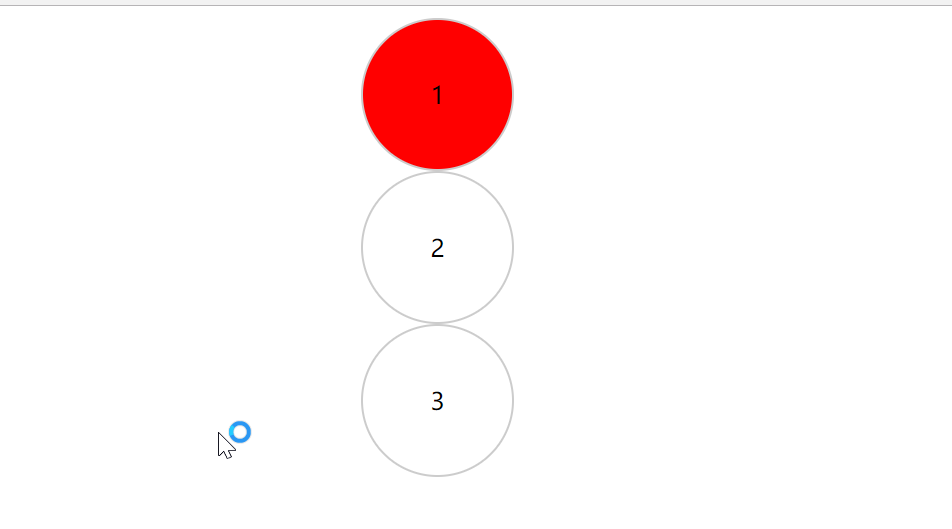
selector:nth-child(n) 选中所有selector元素中的第n个元素

1
2
3
4
5
6
7
8
9
10
11
12
13
14
15
16
17
18
19
20
21
22
<style>
.demo {
margin: auto 500px;
}
.demo div {
height: 100px;
width: 100px;
line-height: 100px;
border-radius: 50%;
border: 1px solid #ccc;
text-align: center;
}
/*选择 div.demo 下面的div标签的第一个元素*/
.demo div:nth-child(1) {
background: red;
}
</style>
<div class="demo">
<div>1</div>
<div>2</div>
<div>3</div>
</div>

效果图:案例1

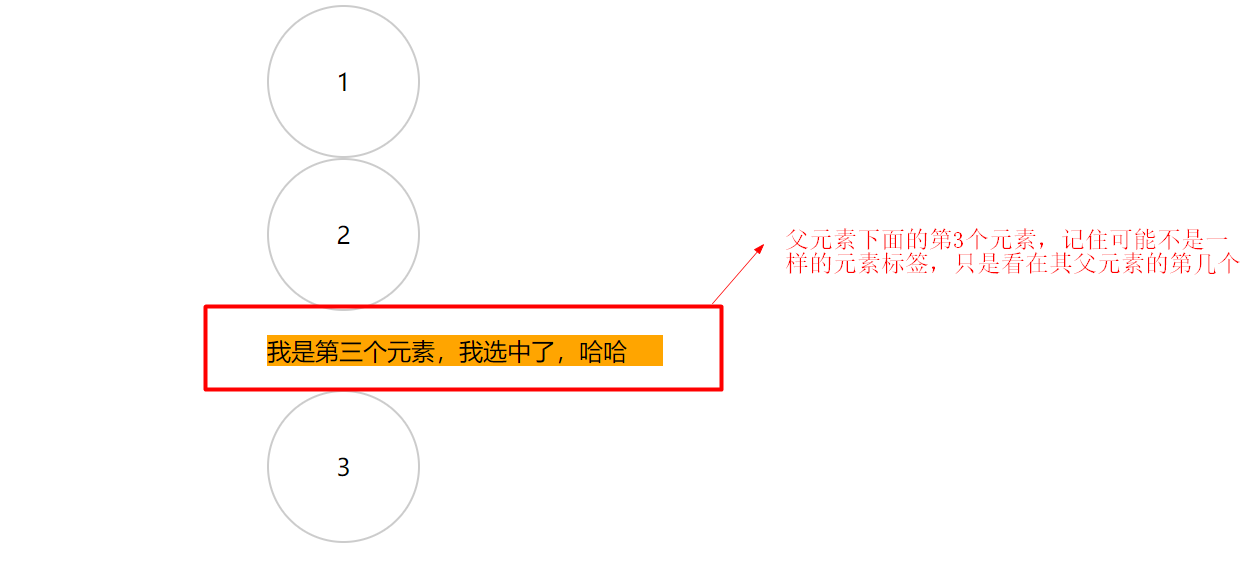
selector :nth-child(n) 选中父元素下面的第n个元素(注意selector和:之间有空格)

1
2
3
4
5
6
7
8
9
10
11
12
13
14
15
16
17
18
19
20
21
22
23
24
<style>
.demo {
margin: auto 500px;
}
.demo div {
height: 100px;
width: 100px;
line-height: 100px;
border-radius: 50%;
border: 1px solid #ccc;
text-align: center;
}
/*选择div.demo中的第三个元素*/
.demo :nth-child(3) {
background: orange;
}
</style>

<div class="demo">
<div>1</div>
<div>2</div>
<p>我是第三个元素,我选中了,哈哈</p>
<div>3</div>
</div>

效果图:案例2

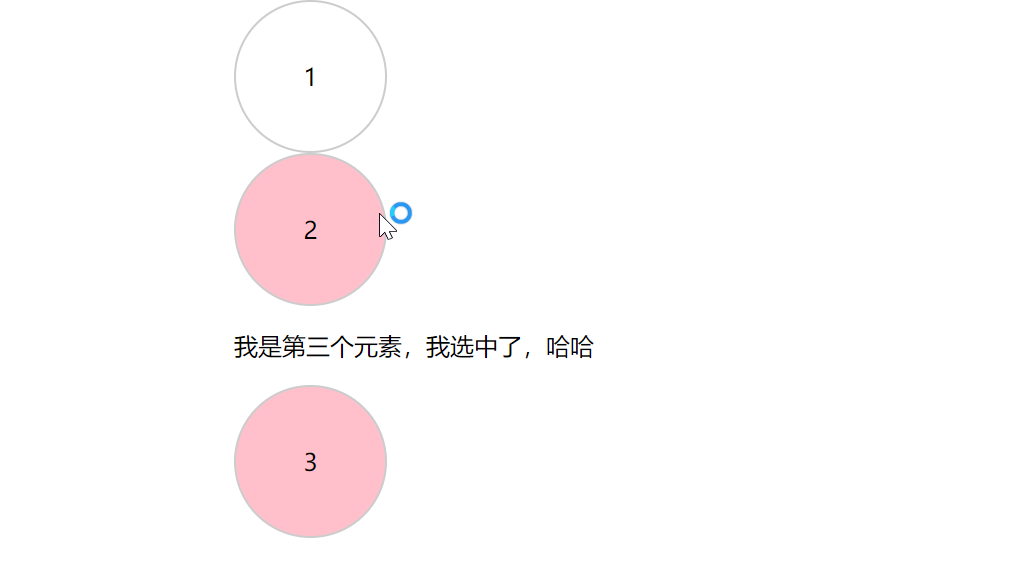
selector:nth-child(2n) 选中所有selector元素中的第2n个元素(即偶数,顾名思义还有奇数(n+1)、或者 (n-1)等其他)

1
2
3
4
5
6
7
8
9
10
11
12
13
14
15
16
17
18
19
20
21
22
23
<style>
.demo {
margin: auto 500px;
}
.demo div {
height: 100px;
width: 100px;
line-height: 100px;
border-radius: 50%;
border: 1px solid #ccc;
text-align: center;
}
/*选择 div.demo 下面的div标签的第偶数个元素*/
.demo div:nth-child(2n) {
background: pink;
}
</style>
<div class="demo">
<div>1</div>
<div>2</div>
<p>我是第三个元素,我选中了,哈哈</p>
<div>3</div>
</div>

效果图: 案例3
深刻理解selector:nth-child(n)与selector:nth-of-type(n)比较

当父元素中有不同的标签时, 再使用parentselector selector:nth-child(n)就会发现不同,看代码和运行效果

1
2
3
4
5
6
7
8
9
10
11
12
13
14
15
16
17
18
19
20
21
22
23
<style>
.demo {
margin: auto 500px;
}
.demo div {
height: 100px;
width: 100px;
line-height: 100px;
border-radius: 50%;
border: 1px solid #ccc;
text-align: center;
}
/*选择div.demo元素下面的div元素,并找到div.demo中的第三个元素,看是否对应的是div元素,如果是有起作用*/
.demo div:nth-child(3){
background: red;
}
</style>
<div class="demo">
<div>1</div>
<div>2</div>
<p>我是第三个元素,我选中了,哈哈</p>
<div>3</div>
</div>

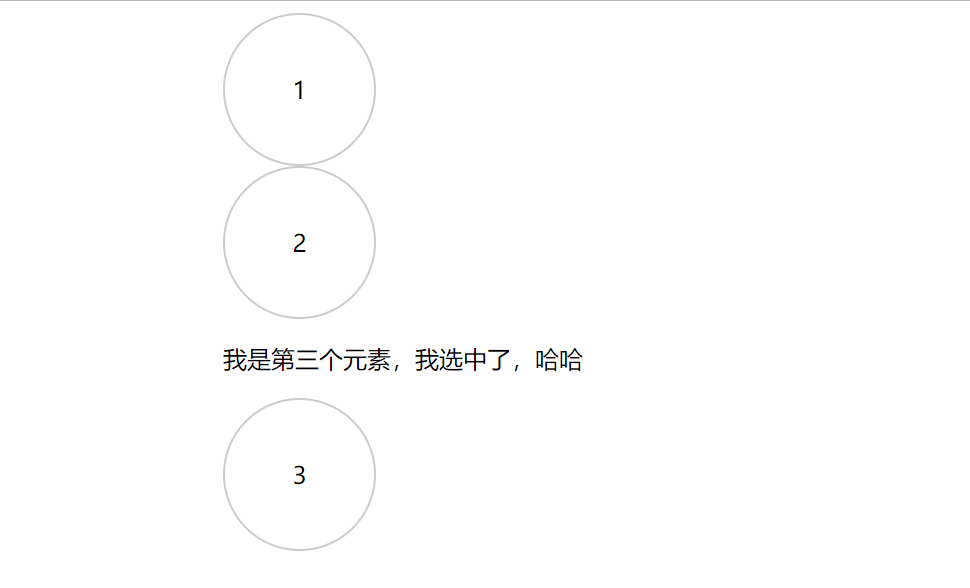
效果图:案例4
发现页面中没有任何样式发生变化了,这是怎么回事?是因为nth-child(n)表示的是父元素的第n个元素,当他的前面紧挨着不是空格时表示的是:父元素下面的具体元素是谁, 这时表示的意思是:找到父元素的第n个元素,然后看这个元素是谁,如果和指定的元素相等就把样式显示出来,如果不匹配就没有任何效果。

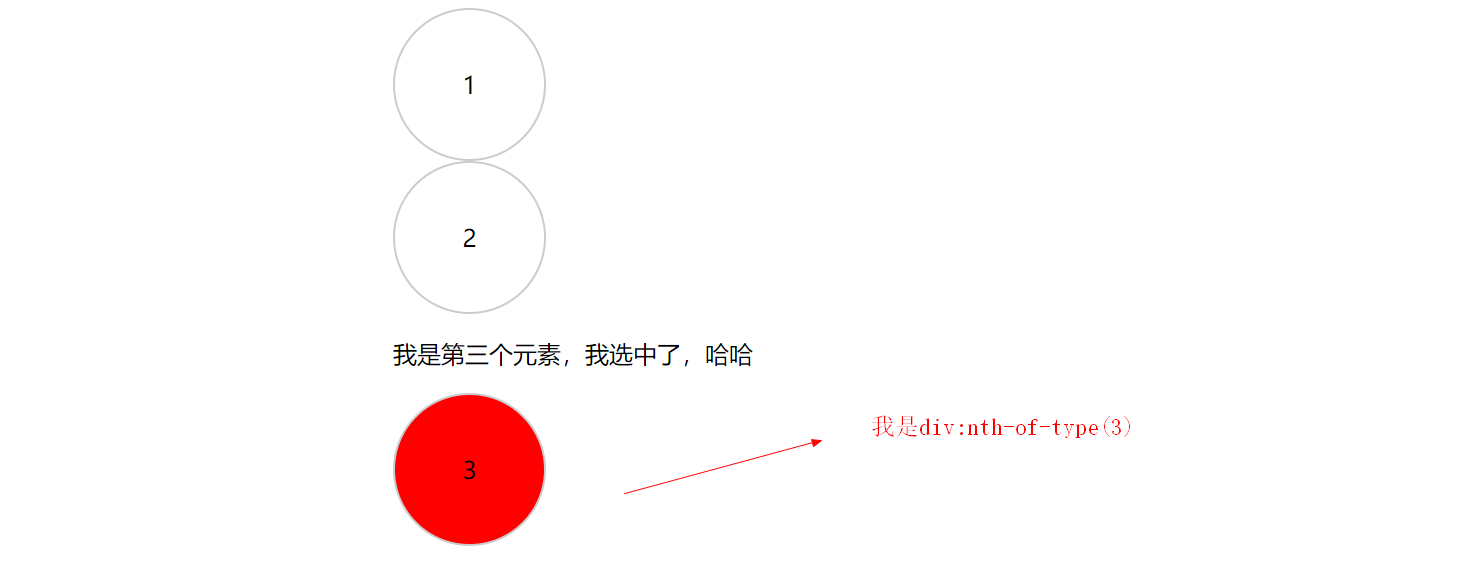
那么与之对应的伪类选择器nth-of-type(n),表示的是指定父元素下面那个具体子元素的第n个元素

1
2
3
4
5
6
7
8
9
10
11
12
13
14
15
16
17
18
19
20
21
22
23
<style>
.demo {
margin: auto 500px;
}
.demo div {
height: 100px;
width: 100px;
line-height: 100px;
border-radius: 50%;
border: 1px solid #ccc;
text-align: center;
}
/*选择div.demo 下面的div标签,并找到这个div标签中的第3个div元素*/
.demo div:nth-of-type(3){
background: red;
}
</style>
<div class="demo">
<div>1</div>
<div>2</div>
<p>我是第三个元素,我选中了,哈哈</p>
<div>3</div>
</div>

效果图: 案例5

-------------本文结束感谢您的阅读-------------